Send it to fellowship
MIS 752 · Lab 11 Lite · Fine-tuning and LoRA · Book Ch. 18.13 and Ch. 23 · no coding · every patient question here is invented
In medicine
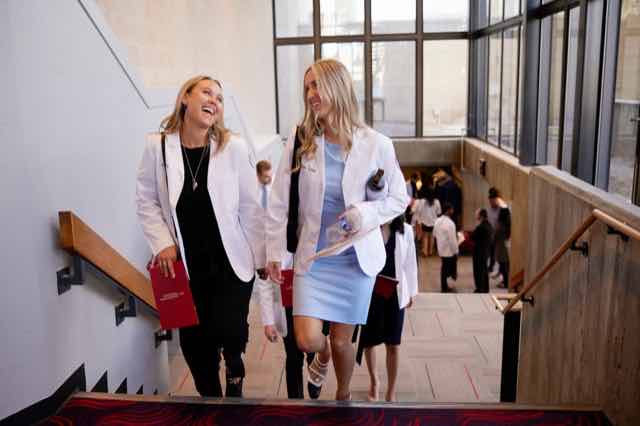 A doctor trained broadly
➜
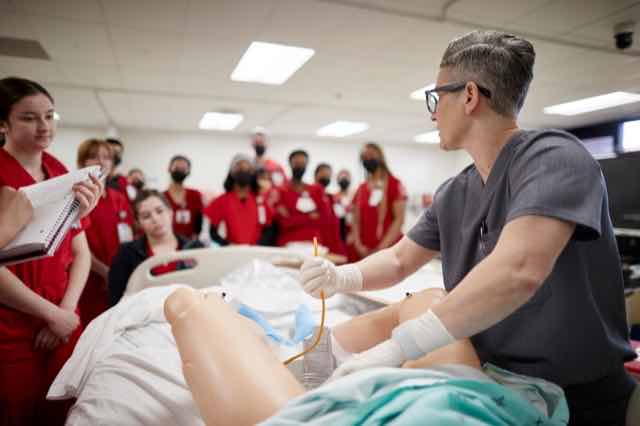 a fellowship: cases, with a mentor
➜
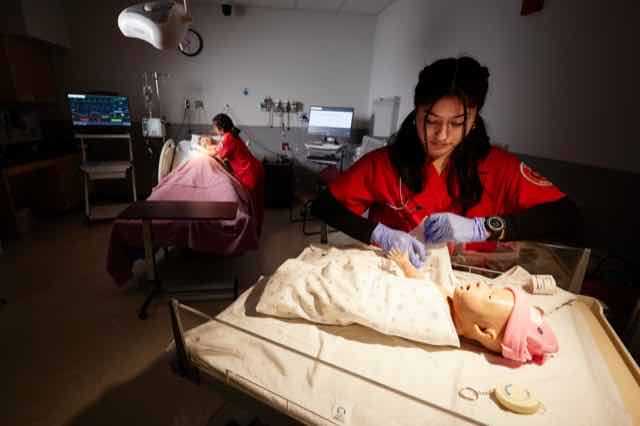 comes back as a specialist
In AI
🧠a general model
➜
📚train it on 100 example answers
➜
🩺answers in your nurse's voice
Fine-tuning teaches a model to sound like your expert. It does not teach it to be your expert,
and whoever wrote the examples decides who it serves. This lab shows all three, with a real fine-tune.
👓 LoRA is glasses, not eye surgery. The model underneath stays frozen. A small add-on, here 0.44% of the weights,
sits in front of it and changes how it sees your task. Take the glasses off and the model is exactly what it was.
You can keep a drawer of them: one for discharge notes, one for billing letters.
📖 Read Ch. 18.13, Prompting, Retrieval, or Fine-Tuning (p. 431) ➜
📖 Read Ch. 23, Algorithmic Bias and Equity (p. 545) ➜
Same book on Canvas: course files
Photos: Josh Hawkins, Benjamin Richards, Becca Schwartz and Aaron Mayes, UNLV Photo Services, and UNLV Special Collections & Archives. Real UNLV spaces; every patient question in this lab is invented.
0 · Connect a model
Only section 2 calls a live model. Paste the free OpenRouter key from Lab 1. It stays in this browser tab only: it is never saved and never sent anywhere except OpenRouter. (Instructor's computer: leave it empty to use the local model.)
1 · Three ways to change how a model behaves
Try them in this order. Each one fixes a different problem.
💬
Prompting
tell it what you want, in words
Always try this first.
free · instant
📄
Retrieval (Lab 8)
hand it documents to read first
It needs facts it does not have, or facts that change.
cheap · no training
🎓
Fine-tuning (today)
train it on your examples
It needs a voice, format or habit it does not have.
a GPU · a casebook of examples
Retrieval for what it KNOWS. Fine-tuning for how it BEHAVES.
2 · Teach it by examples, live
This is what fine-tuning is trying to do, done the quick way: show the model a few example answers with every question. Fine-tuning bakes the same kind of examples into the model itself, so you never have to send them again.
3 · The real fine-tune, recorded
A real LoRA fine-tune of the model from the Lab 11 notebook, run on a laptop with the notebook's own casebook, questions and settings. Nothing in this section is simulated.
10 · Whose voice? Bias starts in the training data
The 100 examples were each written for a kind of reader. Somebody chose that mix, and nobody argued with it.
11 · Try it live: fine-tune a model in your browser
Free, no account, no code, and your pictures never leave your computer.
12 · Design your own fine-tuning dataset
This is the real skill. Pick a voice, format or habit from your own field that a model should learn. You are designing the casebook: who writes it, who is in it, who is missing, and how you would check it.
13 · Hand it in (Canvas, Lab 11)
1. Download your submission with the button below, then upload the file to the Lab 11 assignment on Canvas. It holds your predictions, your live runs, your reading of every recorded answer, your Teachable Machine record, your dataset design, and everything you wrote. It does not include the model answers.
2. Answer these five, a few sentences each. Each asks why:
2. Answer these five, a few sentences each. Each asks why:
- When your prediction was wrong, what had you assumed about fine-tuning that turned out not to be true?
- The style ruler went from 8 to 20 out of 20. How many of the five answers did you judge safe to follow? Explain the gap, and say what you would measure instead.
- Why does fine-tuning change a model's voice more easily than its knowledge? Use one recorded answer as your evidence.
- Whose voice was in the 100 examples, and what happened to the other readers? Connect it to one case from Chapter 23.
- Your own dataset. Who wrote it, who is missing from it, and what one test would you run before anyone relies on it?
Nothing you type is stored anywhere. Download your file before you close the tab.